I understand that the controller is GPIO based but those run off 3.3v. Is it save to assume the pads for the controller buttons have resistors to lower the 5.5v input voltage on the board down to 3.3v?
I’m getting nothing but noise in headphones and no audio out of the speaker.
I’m using a pi zero 2 w and had to use “dtoverlay=audremap, pins_12_13” in order to enable pwm audio.
I’ve otherwise connected as directed. Any ideas why only noise?
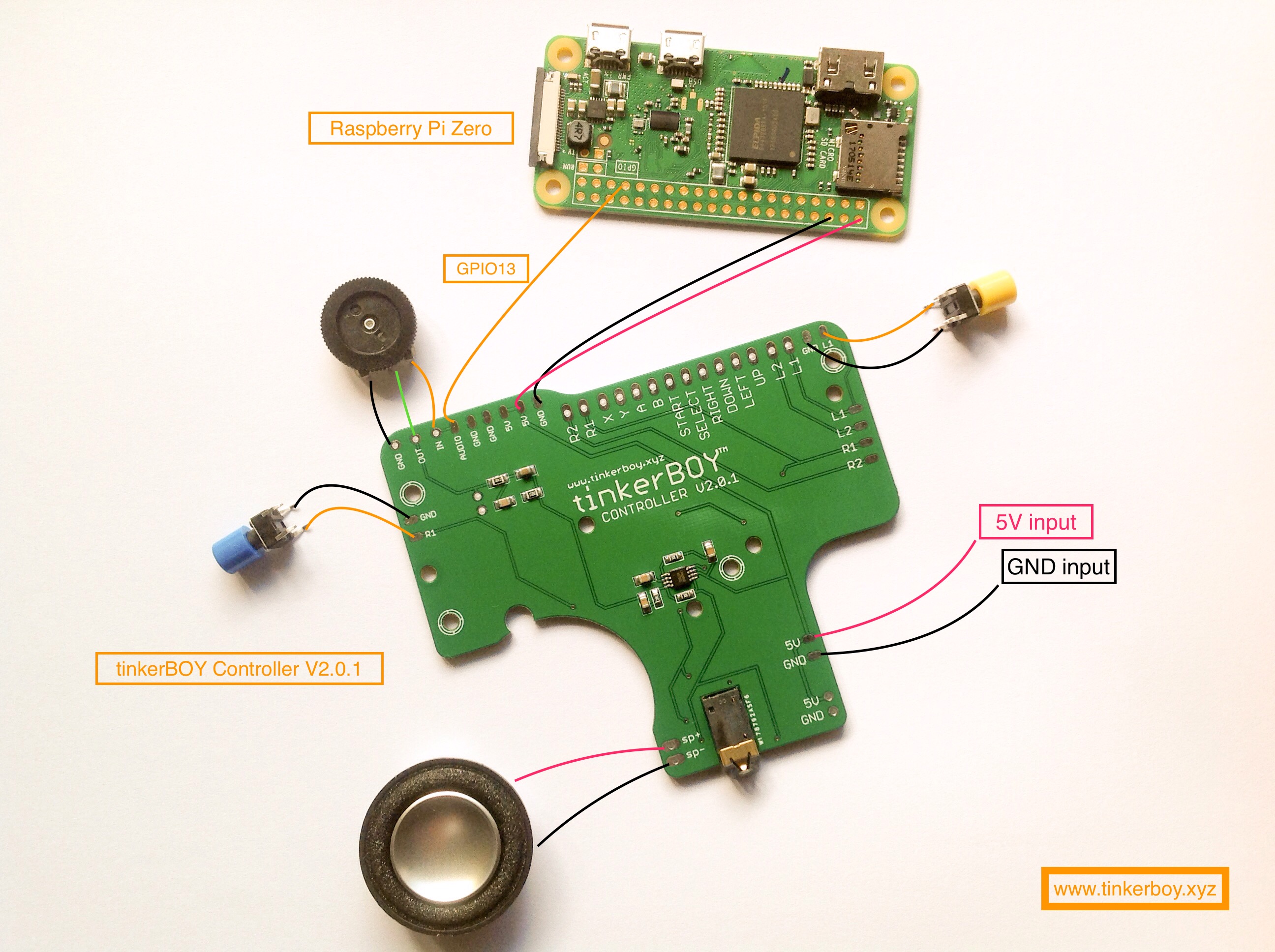
Is there a way to wire the 5 pin volume wheel to this board? I bought this board from you but have the 5 pin volume wheel. Thanks!
hm so you don’t need to connect ‘data’ cables? only power? is that right?
What data cables? This controller is not USB based but GPIO based controller.
I understand that the controller is GPIO based but those run off 3.3v. Is it save to assume the pads for the controller buttons have resistors to lower the 5.5v input voltage on the board down to 3.3v?
This controller was designed for the Raspberry Pi with 3.3V gpio already and resistors are also built in so no need for them.
I’m getting nothing but noise in headphones and no audio out of the speaker.
I’m using a pi zero 2 w and had to use “dtoverlay=audremap, pins_12_13” in order to enable pwm audio.
I’ve otherwise connected as directed. Any ideas why only noise?
Will this also work on GPIO 12?
https://raspberrypi.stackexchange.com/questions/49600/how-to-output-audio-signals-through-gpio
This looks really cool! Can you tell me how I could use this with the DE-10 Nano (MiSTer fpga). Is it possible?
Could you expand on this in the future? This will stick with me for a long time. You broke it down in a simple way.